
Competitor ad monitoring does not need a paid spy tool. The two best sources for it are free, official and public, and most of the paid category is built on top of them. A weekly routine is what lets a team name every ad its closest competitor is running, and without one the usual fix teams reach for is a software subscription.
Meta's Ad Library shows every ad currently running across Facebook, Instagram and the rest of Meta's network, and Google's Ads Transparency Center does the same for verified advertisers on Search, YouTube and Display. Both are searchable by anyone with a browser. This routine turns them into a weekly check on what changed in competitor advertising and whether any of it deserves a test of your own.
The whole thing is a watchlist, four searches, a tracker sheet and a short review. AdLibrary's own monitoring guidance budgets 30 minutes a week for it, and the output is a creative brief you can hand to a designer or an AI tool. We at Supernodes treat it as the step before any ad testing, because a creative brief written without knowing what rivals already run tends to repeat their angles by accident.
Why the free libraries beat paid spy tools for competitor ad monitoring
Google launched the Ads Transparency Center in March 2023 as a searchable hub of ads served by verified advertisers, and the company reports that more than 30 million people interact with its ads transparency and control menus every day, a figure you can check in Google's announcement of the Transparency Center launch. Meta's library has the same open design, and Meta's Business Help Centre explains that the Ad Library contains all active ads shown across Meta technologies and that anyone can view and search it.
The spy tools that dominate search results mostly resell these public sources with conveniences bolted on: older archives, spend estimates, alerts and cross-platform coverage. Even vendors that sell those conveniences agree that working from the official libraries is the standard starting point. AdLibrary's guide to spying on competitor ads, a vendor that sells archive access, frames viewing, saving and analysing ads from the official libraries as legal and standard practice.
Paid competitor analysis suites are real products with real prices. Buffer's 2026 roundup of competitor analysis tools lists options from about USD 9 a month for Social Status up to USD 249 a month for Brand24. The free routine here does a different job than those suites, and it does it well enough that many teams never need the upgrade.
What the Meta Ad Library shows
Meta's Ad Library is a search tool for every ad currently running across Meta technologies, plus ads about social issues, elections or politics from the past seven years and ads run in the EU from the past year. A standard ad appears in the library within about 24 hours of its first impression, and it stays visible while it runs. Once it stops, it drops out, which is the main reason the monitoring needs a regular rhythm.
There is one useful exception. Meta's Ad Library tools page says ads that deliver an impression in the EU are shown while active and then archived for one year after their last impression. Meta also adds extra detail to those ads, and Buffer's Meta Ad Library guide lists it as the targeting by location, age and gender, the total reach with a breakdown, and who the ad benefits. If a competitor advertises in any EU country, searching with that country selected shows ads they have already stopped, along with how many people each one reached. It still shows no spend figure.
Search works by advertiser name, Page name or any keyword, and you can filter by country, category, media type, platform and language. Each ad card shows when the ad started, which apps it runs on, a Library ID and any versions of the creative (the image, video or headline of the ad). Foreplay's walkthrough of the Facebook Ad Library documents those per-ad fields and the filter set in detail.
Two practical details matter for monitoring. First, you can reach the library for any Page directly through the Page's About section under Page transparency, a route Buffer's guide to the Meta Ad Library explains step by step. Second, downloading a search requires a logged-in Facebook account, and some ads aimed at adults only show when you are signed in, so a free personal account makes the routine smoother.
What Google's Ads Transparency Center shows
Google's Ads Transparency Center covers Search, Display, Gmail and YouTube ads from verified advertisers, both ads that are active now and ads delivered in the last 30 days. The catch is verification. Google requires advertisers to verify their identity before ads appear, which Google's advertiser verification policy page explains is what puts their info into ad disclosures and the Transparency Center in the first place. A competitor that has verified will show; one that has not stays invisible.
The practical walkthrough from Social Media Examiner is the best free primer on this tool. It covers searching by advertiser, watching video ads, reading copy and CTAs, counting how many ads an advertiser runs and filtering by country. Google says ads take 48 to 72 hours to appear in the Transparency Center after they go live, as Foreplay's guide to the Transparency Center reports, and the same guide recommends using the date-range filter to find the longest-running ads as a proxy for winners.
Google keeps election ads in a separate political section, and it is the one place Google shows spend ranges for ads, which you can see on the political advertising page of the Transparency Center. Commercial ads carry no spend or impression numbers in either library.
The two libraries overlap in coverage but differ in the details that shape how you search them.
| Detail | Meta's Ad Library | Google's Ads Transparency Center |
|---|---|---|
| Coverage | Every ad running across Facebook, Instagram and the rest of Meta's network, plus political ads from the past seven years | Ads across Search, Display, Gmail and YouTube from verified advertisers |
| How fresh it is | A standard ad appears within about 24 hours of its first impression | Ads take 48 to 72 hours to appear after going live |
| After an ad stops | It drops out once it stops running, unless it was shown in the EU, where it stays archived for a year | It stays visible among ads delivered in the last 30 days |
| Search inputs | Advertiser name, Page name or any keyword, with filters for country, category, media type, platform and language | Advertiser name or website domain, with country and date-range filters |
| Who shows up | Any advertiser running Meta ads, though downloading a search needs a free personal account | Verified advertisers only, so unverified accounts never appear |
| Spend data | Spend ranges only for social issue, election and political ads; EU ads show reach and targeting but no spend | Ranges only inside the separate political archive |
What the routine needs: a Facebook account, a browser and a tracker sheet
The requirements are deliberately small. You need a browser, a free Facebook account (some searches and downloads require you to be signed in), and a tracker sheet in Google Sheets, Excel or Airtable. A free Google account is handy for the spreadsheet but not for the Transparency Center itself, which works without signing in. Budget about 30 minutes each week, ideally at the same point in the week so the comparisons stay clean.
The tracker is the one piece of setup that takes real thought. Create columns for the date checked, the advertiser, the platform, the format, whether the ad is new, what the hook says, what the offer or call to action is, and a link or Library ID back to the ad. That structure follows the time-series logging pattern that AdLibrary's guide to seeing competitor Google ads recommends for turning periodic checks into a dataset you can compare over time.
Step 1: Build the competitor watchlist
The watchlist decides everything downstream, so build it once and keep it stable. AdLibrary's monitoring guidance suggests a list of 10 to 15 competitors, split into direct, indirect and aspirational groups, with weekly sessions of about 30 minutes. Direct competitors sell what you sell. Indirect ones sell to the same buyer with a different approach. Aspirational ones are brands whose ads you want to learn from even when they operate a tier above you.
Capture the right search keys for each competitor
For every name on the list, record three search keys: the exact Meta Page name, the website domain, and two or three category keywords their ads would target. A B2B software vendor, for example, would watch rival tools by Page name, but also search the category terms its buyers use, because that second search catches new entrants that are not on the list yet.
Use the domain for Google searches
Legal entity names and brand names often differ, and the domain is the stable identifier. Ads Insight Pro's guide to the Transparency Center recommends searching by website domain because it bypasses the legal-name problem entirely and shows every ad linking to that site.
Step 2: Run the four weekly searches
Four searches cover the ground: two in Meta's library, two in Google's. The first pair finds what your known competitors run, and the second pair widens the net to the whole category and to what has been running longest, which is where the strategic signal usually hides.
Search Meta's Ad Library by advertiser
Open facebook.com/ads/library and type a competitor's Page name into the search bar. Set the country filter to the market you care about, because the library defaults to your own country and competitor strategy varies by region. Skim the results for ads you have not seen, and open the ad details for anything new to read the full copy and the start date. Repeat for each advertiser on your watchlist.
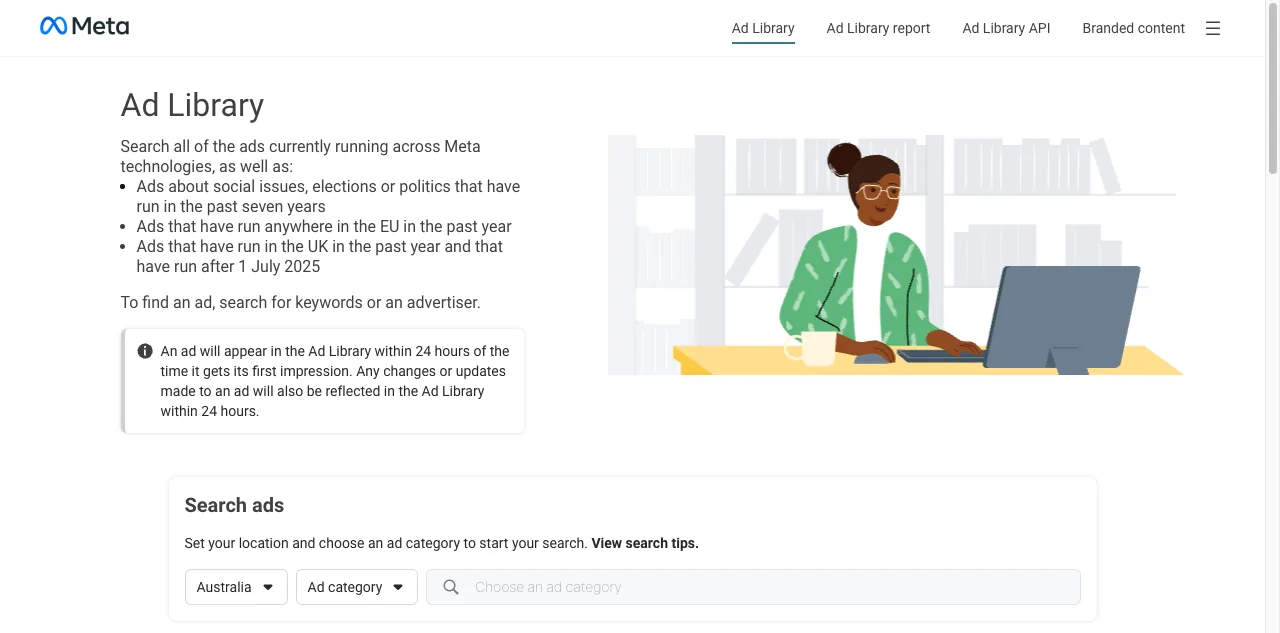
Meta's Ad Library, where the weekly advertiser search starts, captured on 23 September 2026.
Search Meta's Ad Library by category keyword
Run the same library with the category keywords you recorded in Step 1, one keyword at a time. This search surfaces advertisers running on your terms who were never on your list, including indirect competitors and new entrants. Note the Page names that keep appearing, because frequency across keyword searches is a rough proxy for spend. Keep the country filter on so the results stay relevant to your market.
Search Google's Transparency Center by domain
Open adstransparency.google.com and paste a competitor's website domain into the search bar. The advertiser page lists the ads currently running across Search, YouTube, Display and Gmail, and you can watch the video ads in place. Do this for the whole watchlist, and count the ads per advertiser as you go. The count itself is a signal, because it tells you how much creative firepower each competitor is putting behind paid acquisition.
Scan Google for what has run longest and what changed
For the two or three most important competitors, filter by the last 30 days and look for ads that have been running across the whole window. Long-running ads are the closest thing the free libraries offer to a performance signal. AdLibrary's research-to-brief writeup puts the heuristic bluntly. An ad still spending at 90 days in a performance channel is spending because it converts, and the same writeup tells you to note the format and hook of every ad past 60 days. Those are the ads to study hardest, and the date filters in both tools are how you find them.
Step 3: Log what changed in the tracker
Open the tracker and record the differences from last week. A new ad, a stopped ad, a changed offer, a new format, a different hook or a fresh landing angle all count. For each change, log the date, the advertiser, the platform, the format, a one-line summary of the hook, the offer or call to action, and the ad's Library ID or link so you can return to it.
Take screenshots of anything notable and drop them in a folder named after the advertiser and the week. The libraries only show active ads, so the screenshot is your personal archive. Six weeks of logging gives you a record that the libraries themselves will not provide later, because by then the ad will have stopped running and disappeared.
Keep the log factual. What the ad says, what it offers, how long it has run. Judgements go in the next step, where they belong.
Step 4: Turn the log into a brief in the weekly review
The weekly review is where monitoring becomes marketing. Work from the log and pick one or two changes worth acting on. The strongest candidates are a competitor moving into a format you have ignored, an offer change that signals pricing pressure, and any ad that has run for months, because longevity is evidence the creative is working.
Write the brief with five fields, following the structure AdLibrary's research-to-brief workflow uses: the objective, the target audience, the primary angle hypothesis, the proof points you can back up, and the longevity anchor, which is how long the competitor has run this angle and what that implies. Keep it under a page. A brief this size hands cleanly to a designer, a copywriter or an AI drafting tool, and it forces a clear decision. Test this angle, or consciously skip it.
The ethical boundary is simple and worth stating. Analyse what competitors run, learn from the angle and the offer, and brief your own version in your own voice. Do not copy creative assets or lift copy verbatim, which is the line AdLibrary's competitor ad guide draws between research and theft.
What a paid spy tool adds, and when you do not need it
Paid tools earn their price on four things the free libraries deliberately lack. First, archives: the libraries drop inactive standard ads, while paid tools keep them searchable. Second, spend estimates, which neither Meta nor Google publishes for commercial ads. Third, alerts, so you hear about a new competitor ad within hours instead of at the next weekly check. Fourth, cross-platform coverage for TikTok, LinkedIn, Amazon and the rest, where the free library story is thinner.
Prices for the category start low and climb fast, and each vendor sets its own. AdSpyder's entry Spy plan is USD 10 a month for up to 1,000 ads searched. Minea's Starter plan runs USD 49 a month. PowerAdSpy's Basic plan is USD 69 a month and covers Facebook and Instagram only, with wider network coverage on costlier tiers. Archive vendors have moved to credits. AdLibrary's Starter plan is 29 euros a month for 50 credits, where one search costs one credit, and the free mode it used to offer no longer appears on its pricing page. We read all four pricing pages again on 7 October 2026, and they drift, so check before you commit.
Our recommendation at Supernodes is simple. Start with the free routine for four to six weeks, and let your own log become your archive. If a specific gap starts hurting, a missed alert, a platform you cannot see, a spend question you need answered, buy the smallest plan that closes that one gap. The tools are supplements to the routine, and the routine is the habit that makes any of them useful.
Reading other companies' ads is the research side of an ads workflow, and it stays separate from the jobs that read your own accounts. Mining your own Google Ads search terms is a different task, and we have a guide to search term mining with Gemini for your own Google Ads account. Working out which of your own channels drives revenue is attribution, which we cover in our cross-channel attribution framework for Google, Meta and LinkedIn.
How to measure whether the routine is working
The routine earns its keep on three numbers, and you can track all of them in the same sheet as the log. First, detection lag: how many days between a competitor launching an ad and you logging it. In a steady routine this should sit under seven days, because you check weekly. Second, changes logged per week. We could not find a credible public benchmark for how many changes a category produces, so your first four weeks of logging become your own baseline, and a run of zero weeks after that usually means the watchlist has gone stale. Third, briefs written from the log. If weeks pass without a single brief, the review step has become paperwork, and the routine needs a tighter link to whatever your team actually tests.
Over a quarter, the pattern that matters is directional. If your AI ad creative testing increasingly starts from a competitor signal, the routine is feeding the pipeline rather than just documenting it. That is the outcome the whole setup exists for.
Frequently asked questions
Do I need a paid spy tool for competitor ad monitoring?
No. Meta's Ad Library and Google's Ads Transparency Center are free, official and searchable by anyone, and they show the ads themselves, including the creative, the copy and the start date. The paid tiers add workflow convenience: archives of older ads, spend estimates, alerts and cross-platform search. Entry plans run from about USD 10 a month, so the free routine covers the core job for most teams.
Can I see how much competitors spend on ads?
For commercial ads, no. Meta shows spend ranges only for ads about social issues, elections or politics. Ads shown in the EU get reach and targeting details, but still no spend. Google shows spend ranges only inside its separate political advertising section. For regular competitor ads, spend data comes from paid tools that estimate it, and the estimates are never precise.
Why can't I find a competitor in the libraries?
Google requires an advertiser to complete advertiser verification before ads appear in the Transparency Center, so unverified accounts are invisible there. Meta works differently, and its library needs the exact Page name to find the advertiser. Timing matters too. A new ad can take about 24 hours to appear in Meta's library and 48 to 72 hours in Google's. Once a standard ad stops, Meta drops it unless it ran in the EU, and Google keeps it only for 30 days, which is why the weekly check matters.
How long does the weekly routine take?
AdLibrary's monitoring guidance budgets 30 minutes a week once the watchlist and tracker exist. The first session is longer, because you build the watchlist, set up the tracker columns and run each search once to see what the results look like. Time your first two weeks and set the slot from that.
Is it legal to review competitor ads this way?
Yes. The Ad Library and the Transparency Center are public tools that Meta and Google publish so anyone can see what advertisers run. Viewing, saving and analysing those ads is standard practice. What crosses the line is copying creative assets or claiming a competitor's ad as your own work. The routine exists to brief your own angles, not to duplicate theirs.
How is competitor ad monitoring different from analysing my own ads?
This routine reads what other companies run and turns it into briefs for your own testing, so it is the research half of an ads workflow. Analysing your own accounts is a separate job: mining your own search terms, pacing your own budget and measuring your own results. Both halves matter, and this routine covers the competitor side.