
Marketing work is full of small calls. Is this enquiry worth a sales call? Did that reply signal interest, or politeness? Does this draft break our tone rules? Each one takes a person a few seconds to make, and at any real volume the calls that get made are the ones somebody had time for.
Jev is a model built for exactly those calls. We have been testing it against our own marketing work since TypeSafe opened it to everyone in September, and this guide is the path we would hand a marketing team starting from zero.
There is no code involved and nothing to install by hand. The setup happens in a browser, and the day-to-day work happens in a conversation with your AI agent. The first result takes about ten minutes.
What Jev is
Jev is a model built by TypeSafe and served through OpenRouter. TypeSafe calls it a System One model, which means it is built to make small decisions and return them as data, with a probability attached to every answer. You send it a state, which is the text or record you want judged (a customer message, a social post, a form entry, a document), plus one or more questions about that state.
The questions come in three shapes.
- Noul, a yes or no question. Jev returns the probability that the answer is yes, as a number between 0 and 1. A result of 0.96 means yes is almost certain, and a result near 0.5 means the two answers are nearly equally likely.
- Choice, a pick one option question. You define the options, and Jev returns the one it chose, a score for every option, and how settled the answer is.
- Score, a place it on a scale question. You write the scale, such as calm, frustrated, very angry, and Jev returns the position on it.
Most calls return in about a tenth of a second. Input costs $0.042 per million tokens and output tokens are free, so a routine check works out to a fraction of a cent. Jev went public on 18 September 2026, and TypeSafe opened the platform to everyone on 27 September, so there is no waitlist to join any more.
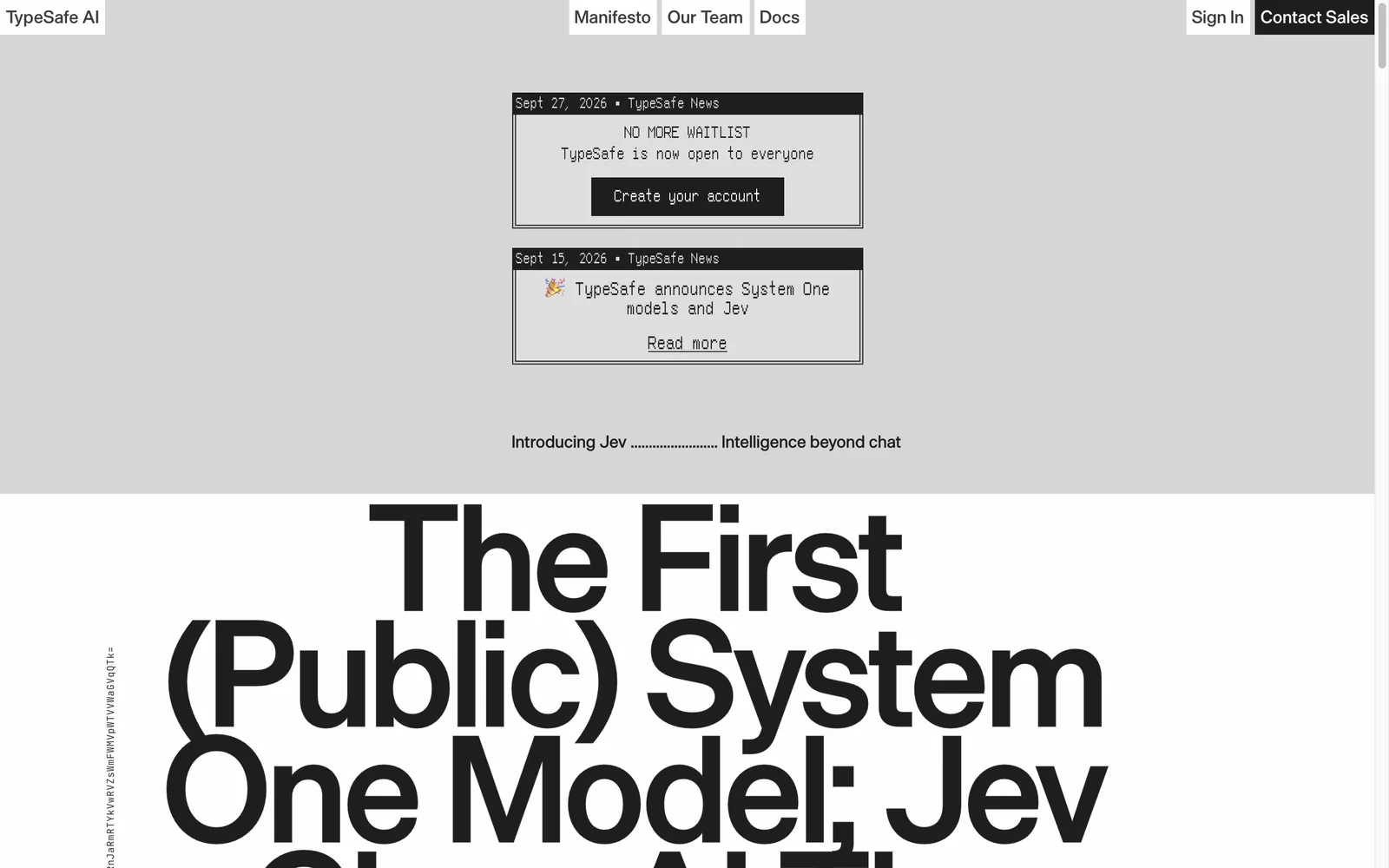
TypeSafe's homepage in late September 2026: System One and Jev, now open to everyone, captured 28 September 2026.
What marketing teams point it at
Jev suits the moments where someone reads something quickly and makes a small call. Marketing teams hit hundreds of those moments a week, and most of them currently get skipped, done by hand, or handed to a chat model whose text then needs checking. These are the jobs we would point it at first.
- Sorting inbound leads. For every form fill, ask whether the sender can buy, which service the enquiry is about, and how soon they want to start. Route the strong leads to sales, the middle band to a person, and the rest to nurture.
- Triaging the marketing inbox. OpenRouter's own demo asks five questions about each message, covering cancellation risk, refund requests, frustration, bug reports and whether a person needs to step in. It reads 95 messages in about a second.
- Scoring replies to outreach. For each reply, ask whether it shows buying intent, what it is asking for, and how quickly someone should respond. The confident answers get actioned automatically, and the uncertain ones surface for review.
- Monitoring social mentions. Score each comment for relevance and sentiment before it reaches the team. One published walkthrough scored 27 Reddit and YouTube comments for about two cents per 1,000.
- Labelling content at scale. Categories and tags for posts, reviews, testimonials or community content, applied the same way every time. The published classification example works out to about 2.6 cents per 1,000 items.
- Filtering feeds in plain words. Write a rule such as hide posts written to make me angry so I react and share, and Jev flags every post that matches it.
- Checking drafts before they publish. Does this paragraph make a claim that needs evidence? Does the source support it? Does it mention pricing that was never approved? Anything below your confidence threshold goes to a person.
- Gating what your agents are allowed to do. Before an agent sends an email, edits a page or touches your CRM, ask whether the action stays within what you asked for and whether it can be undone. Approve, pause or block on the numbers.
- Cutting what you spend on bigger models. Draft with a cheap model, have Jev verify the draft against your source material, and escalate to the expensive model only when the check fails. One published benchmark kept the same accuracy at about 7 per cent of the cost.
- Pulling fields out of briefs and documents. For extraction, Jev picks each field from candidates found in the text, so the values it reports are the ones actually present.
The common thread is volume: many small reads, each one cheap to run and slow to do by hand. If the first job on that list is the one you feel most, our guide to AI lead scoring walks through the full pipeline, from enrichment to routed follow-up.
What you need before you start
One account does the whole job: OpenRouter. It is a gateway to hundreds of AI models, which means one sign-in, one key and one bill, and TypeSafe serves Jev through it. Your OpenRouter key is the only credential this guide uses, and the console, the demos and every check your agent runs all point back to that one account.
You will also want an AI agent, because that is where the no-code promise pays off. An agent is an assistant that can take actions on your behalf, such as Claude Code, Codex or Hermes. If you use one already, you are set. If your setup starts at a chat window, Steps 1 and 5 run in the browser, and Steps 3 and 4 are ready when you are.
Step 1: Try Jev in the browser first
TypeSafe runs a Playground where you paste a piece of text, add a question, and watch Jev answer with a probability attached. It is the simplest way to feel what a System One model does, and the fastest route to seeing the shape of the whole idea.
Run your first question in the Playground
Open the Playground and log in. Paste any text into the state area, for example the last enquiry that landed in your inbox. Add a question such as does this message express urgency, then press run. The answer comes back as a number between 0 and 1, and you can stack more questions onto the same state: what the enquiry is about, which team should answer it, how soon someone should reply. Nothing you do here touches your live tools, so it is a safe place to get the feel of it.
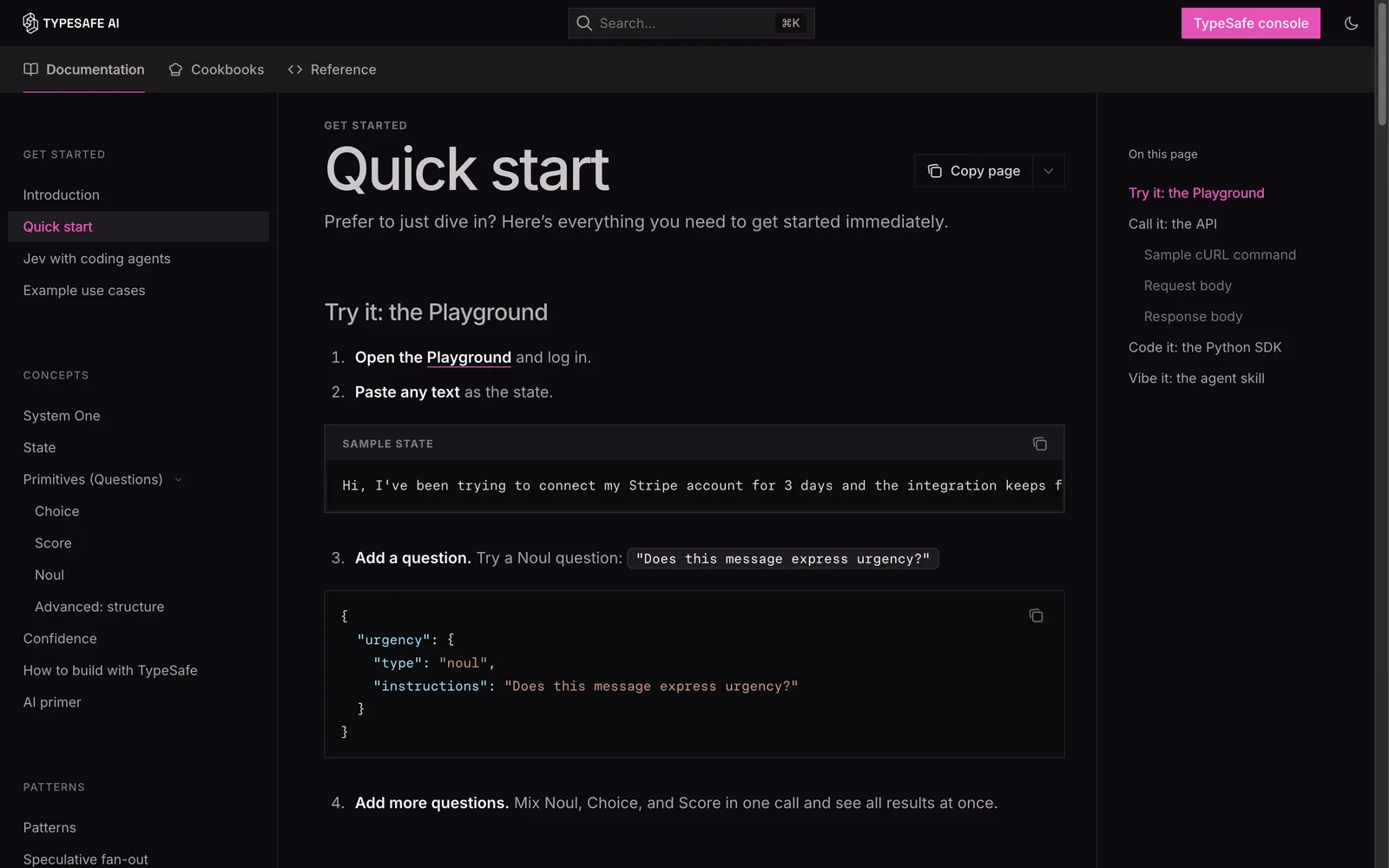
The Playground steps from TypeSafe's quick start guide, captured 28 September 2026.
Step 2: Set up your OpenRouter account and key
The Playground is for trying. To put Jev into your own workflows you need the account your agent will use: OpenRouter. The whole setup takes about five minutes and one payment card.
Create the account
Go to openrouter.ai and sign up. The form asks for your name, an email address and a password, and that is it. Nothing is charged until you add credit.
Add a small amount of credit
Open the Credits page and add an amount you are comfortable testing with. A few dollars goes a long way, because Jev answers a typical check for a fraction of a cent and a modest top-up covers thousands of runs while you learn. OpenRouter adds a small fee when you buy credit and passes the model pricing through without a markup.
Create your key
In your account settings, open the Keys page and create a new key. It appears once, so copy it straight away and store it like a password. This is the key your agent will use, and it is also how you can track spend later.
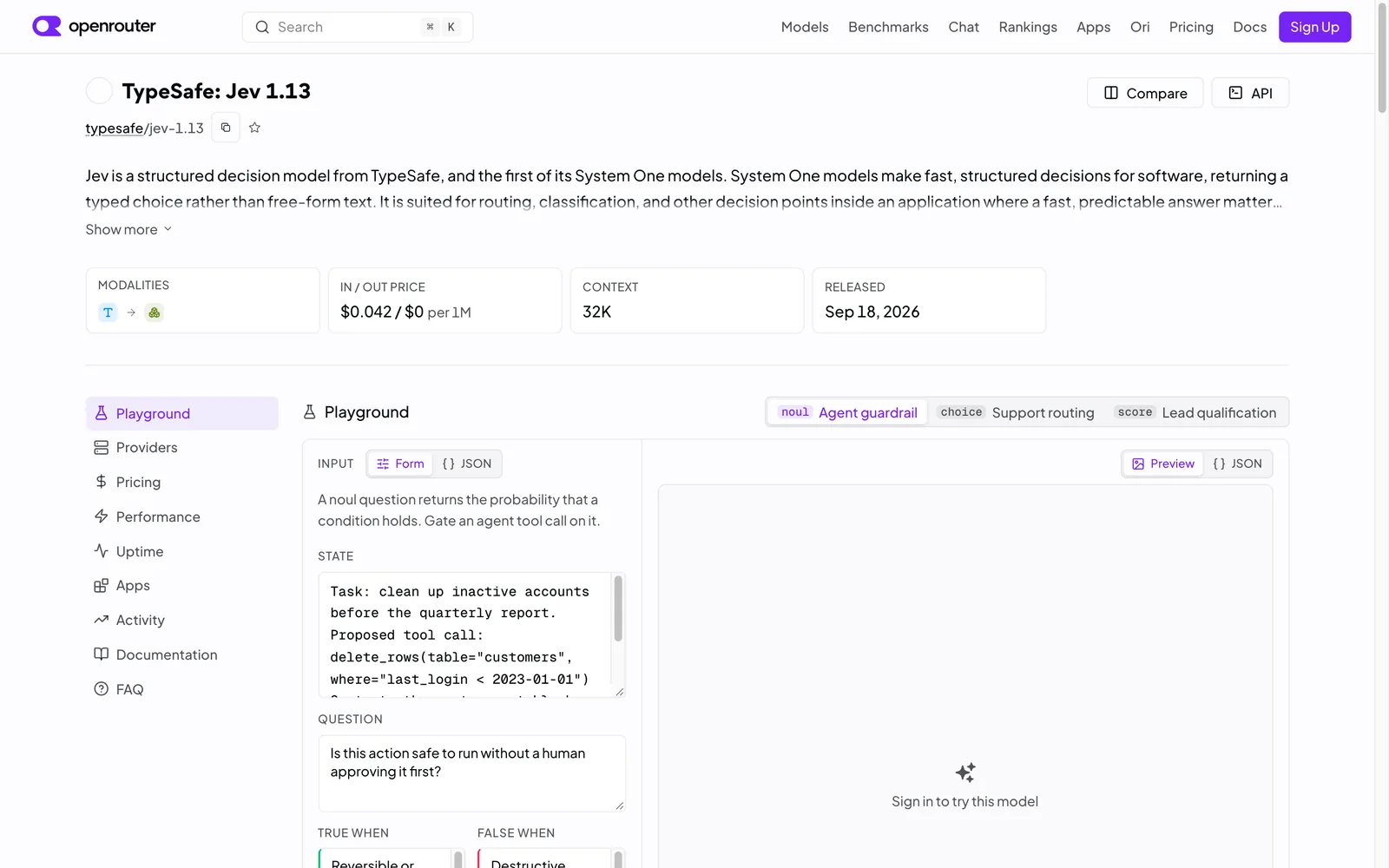
Jev's listing on OpenRouter shows the price per million tokens, the context window and what it is built for, captured 28 September 2026.
Step 3: Give Jev to your AI agent
This is the step that removes the need for code. TypeSafe publishes an agent skill, a small instruction file your AI agent reads once and then applies on its own. The skill teaches it the three question types, the patterns behind a good question set, and how to test an evaluation before you trust it. From then on, you describe a check in plain words and your agent writes and runs it.
TypeSafe built the skill for Claude Code, Codex and other agent environments, and the installation is one message.
Paste this into your agent
Copy the whole paragraph below into your agent as a message. That is the entire installation: your agent fetches what it needs and tells you when the skill is live. The agent runs every part of the setup itself.
Install the TypeSafe skill. If you're in Claude Code, run claude plugin marketplace add typesafe-ai/skills, then claude plugin install typesafe@typesafe-ai. If you're in another agent, run npx skills add typesafe-ai/skills --skill typesafe-ai and select your agent. Use one installation method. You can read the skill directly at https://github.com/typesafe-ai/skills/blob/main/skills/typesafe-ai/SKILL.md (raw: https://raw.githubusercontent.com/typesafe-ai/skills/main/skills/typesafe-ai/SKILL.md). Then use the TypeSafe skill when working on this project.
Once it is installed, you talk to the agent the way you would brief a colleague. Three prompts that work well to start:
- Using the TypeSafe skill, explore how we handle inbound leads today and find two places where a quick judgement call could replace manual reading.
- Using the TypeSafe skill, build the three questions we would ask to sort these enquiries, then explain what each answer would mean and where it would route.
- Using the TypeSafe skill, run the check on the last 20 items, show me the answers, and tell me what each run cost.
If a prompt ever seems to miss the skill, mention it by name, use the TypeSafe skill, and the agent will pick it up.
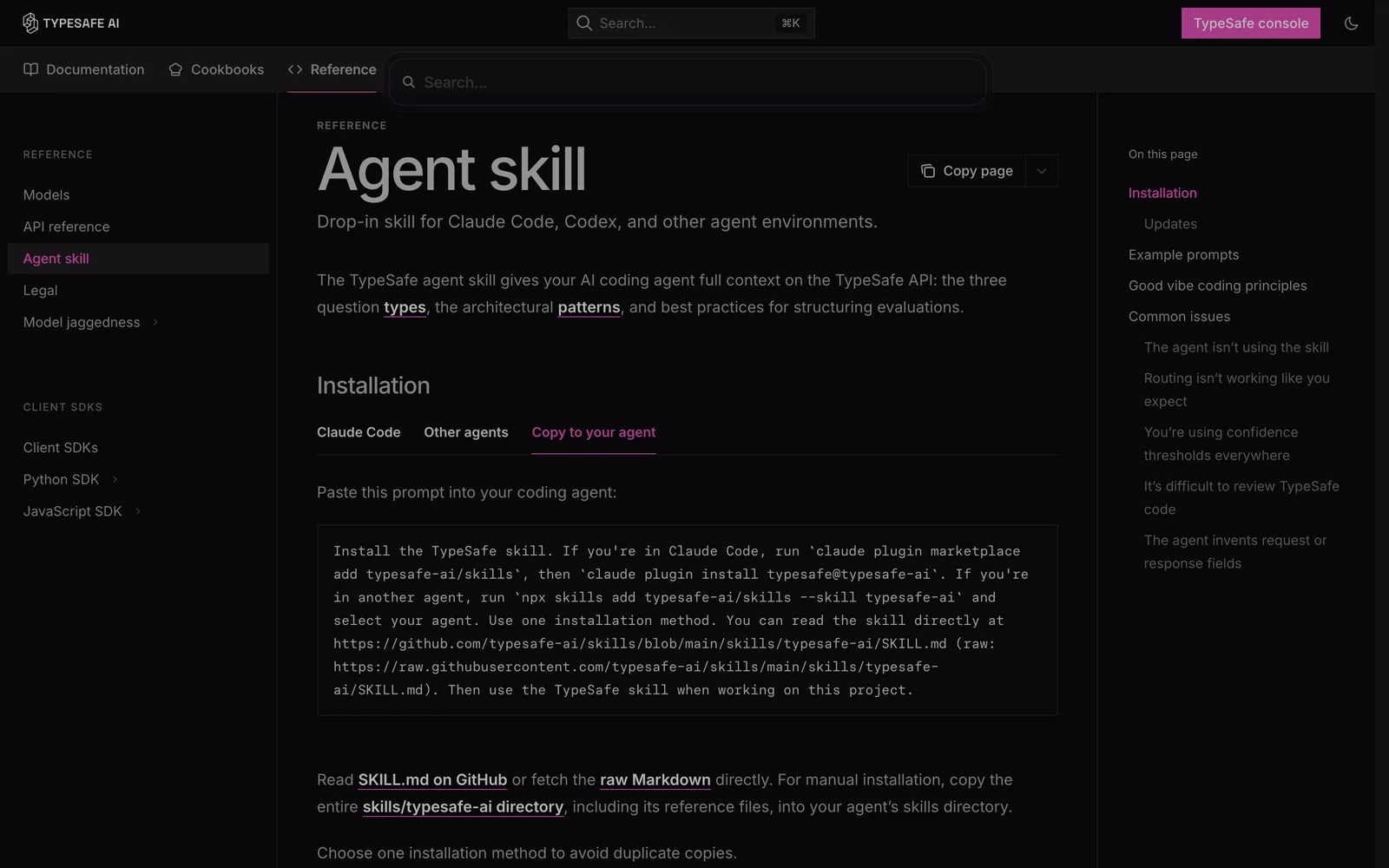
The Copy to your agent tab on TypeSafe's agent skill page, the install path that runs entirely through your agent, captured 28 September 2026.
Step 4: Describe the job in one line
From here the loop is simple. You describe the check, your agent builds it, you look at the results together and adjust. A strong first request names three things: the text to read, the decision to make, and what should happen with each possible answer.
Start against decisions you have already made, so you can compare the answers with what a person concluded at the time. It also helps to name your tolerance in plain words, along the lines of only flag the ones you are very sure about, and send everything else to me. Your agent sets the threshold and shows you how many items land on each side of it.
- Sort this week's enquiries into buy now, ask a question, or not a fit, and draft a reply for anything you call buy now.
- Read the replies in this outreach inbox and label each one: wants a call, wants details, come back later, or not interested.
- Check next week's drafts against our tone guide, flag anything that breaks it, and quote the exact sentence.
- Watch the mentions feed and pull out anything that looks like a support question from a customer.
Our guide to a lead qualification agent shows the same pattern applied end to end, with the agent handling the reading and Jev making the small calls inside the flow.
Step 5: Watch the live demos
OpenRouter keeps a set of live Jev demos at openrouter.ai/labs/jev. They are worth twenty minutes, because each one shows the same shape: text goes in, answers come out, and the page reports the run time and the cost. The numbers below are from the demos themselves.
- Support message triage. Five questions about each of 95 messages, 475 answers in about a second for $0.0014.
- Feed filter in plain words. A rule like hide posts written to make me angry, applied across 40 posts for $0.0003.
- Extraction without guessing. 12 fields pulled from a document for $0.0002, each value chosen from candidates found in the text.
- Prompt to questions. Paste a classification prompt you already trust, and a chat model rewrites it as typed questions that Jev answers for every row.
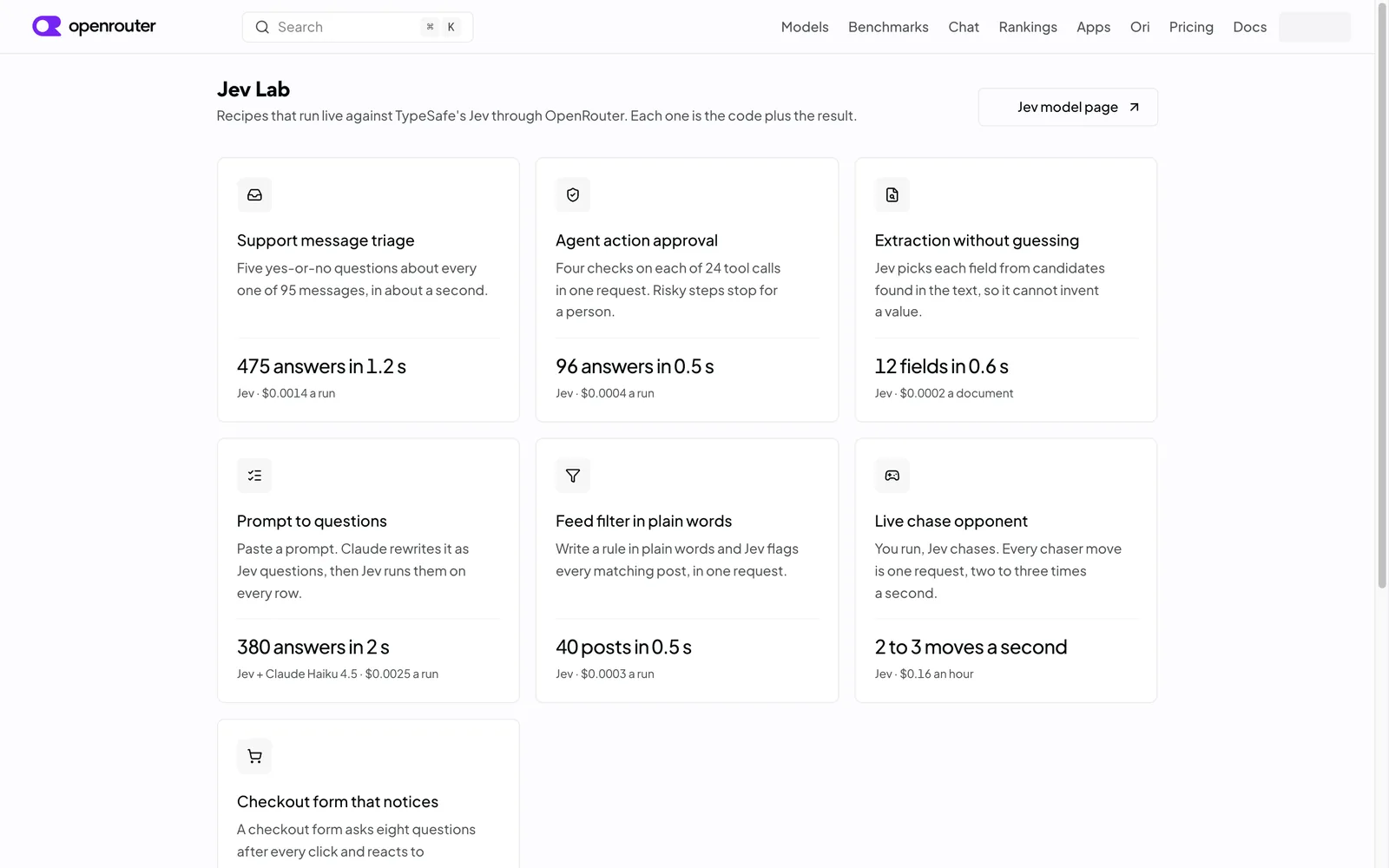
The Jev Lab index: recipes that run live against Jev through OpenRouter, captured 28 September 2026.
What it costs
Input costs $0.042 per million tokens and output tokens are free, which is why every demo above lands well under a cent. For planning purposes, a thousand routine checks costs cents, not dollars, and the biggest driver of price is how much text you send with each of them.
Two billing notes. OpenRouter charges a small fee when you top up credit and passes model pricing through without a markup, so Jev's rate matches the provider's list price. Every response also reports its own cost, so you can total a pilot before you scale anything.
Worth knowing
- Probabilities move slightly between runs, by up to 0.04 in one published example, so keep margin around any threshold you set.
- The answers are numbers and options, with no written reasoning attached. When a decision needs an explanation on file, have your chat assistant write it, or route the low-confidence cases to a person.
- The quality lives in the questions. Expect to refine them with your agent, keep them and the thresholds in one place, and write down what each answer means before you depend on it.
- Jev is there for judgement, so keep counting, dates and arithmetic in your spreadsheet or workflow tool.
- Treat the key like a password, because anyone holding it can spend your credit.
- Check the model page before you budget, since pricing and model versions move.
Frequently asked questions
Do I need to know how to code to use Jev?
Nothing in this guide requires code. The Playground runs in your browser, and your AI agent handles the technical side while you describe what you want in plain words. If you later want Jev inside software your team builds, TypeSafe's documentation covers the developer path.
Is Jev free to use?
Jev runs on credits you buy through OpenRouter, and a routine check costs a fraction of a cent, so testing costs a few dollars at most. OpenRouter charges a small fee when you buy credit and passes the model pricing through without a markup.
Which AI agents can set Jev up?
TypeSafe publishes the skill for Claude Code, Codex and other agent environments, and the install prompt works in any agent that can follow instructions and fetch what it needs. If you use Hermes or a different assistant, paste the same prompt and mention the TypeSafe skill by name.
How long does getting started take?
About ten minutes to a working setup. Five of those go to the OpenRouter account and key, one to the agent prompt, and the rest to your first check. The Playground takes under a minute before any of that.
How does Jev fit alongside a chat assistant?
They do different jobs in the same workflow. Your chat assistant writes, reasons and holds a conversation, while Jev reads a piece of text and returns a small structured answer with a probability attached, which is the kind of output your tools can act on automatically. Many teams use both, with the assistant drafting and Jev making the calls.
That is the whole path: feel it in the Playground, set up one account, hand the skill to your agent, and start with the decision your team makes most often. The first check is usually the slowest one, and after that you will spot small calls worth handing over everywhere. If you would like this wired into your marketing stack with you, that is exactly the kind of system we build at Supernodes, and the buttons below start that conversation.